Chrome Extension

The card picker that knows more than the rewards rate

Kudos tells you which card earns the most. StackEasy tells you which card you should actually use — based on your real balances, APR deadlines, and how each choice affects your score.

🚀 Coming soon to the Chrome Web Store Try StackEasy Free
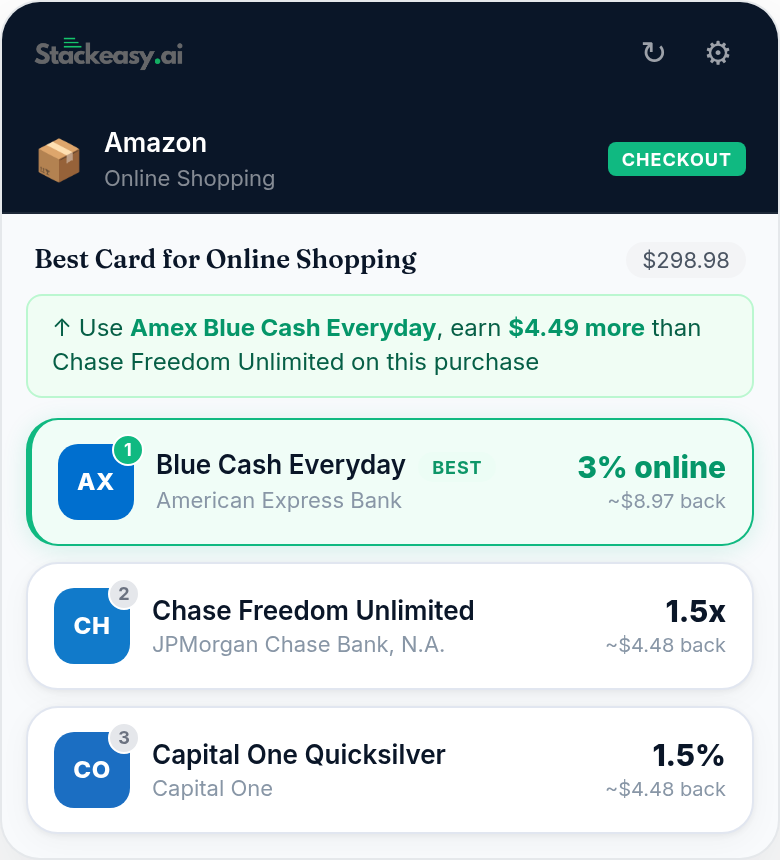
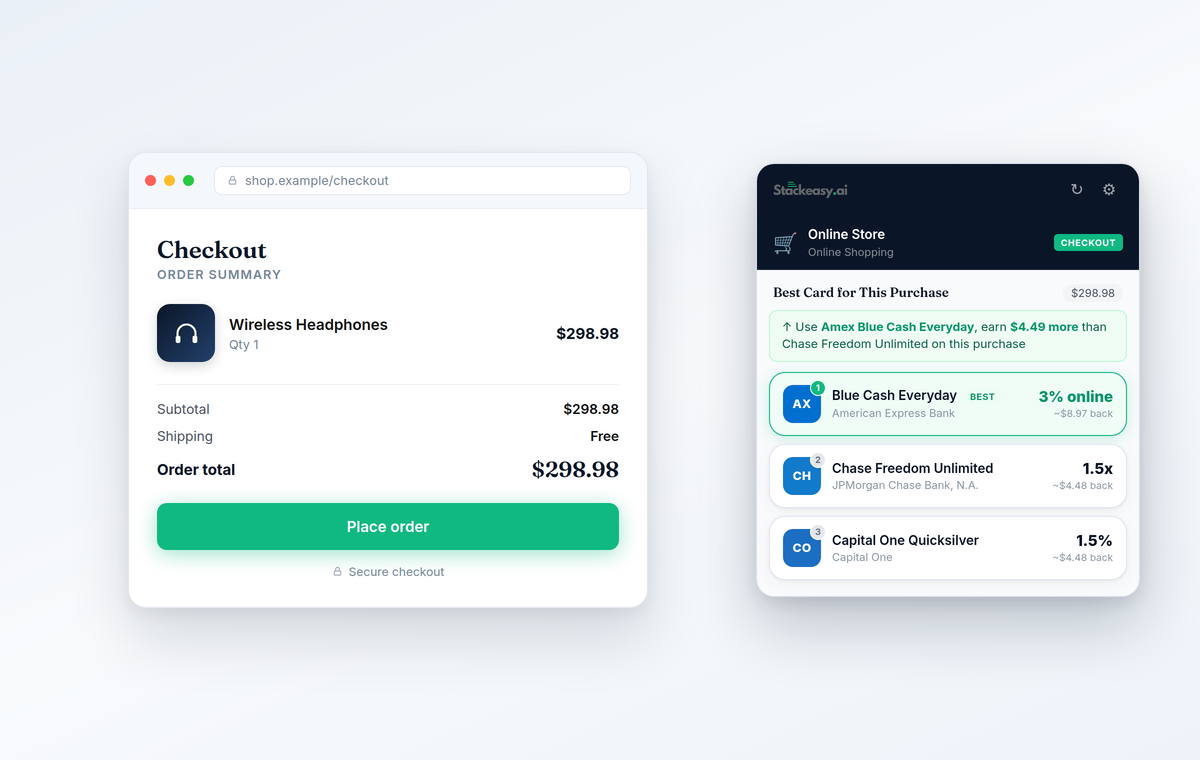
StackEasy extension recommending the best card on an Amazon checkout page

What is the StackEasy extension?

The StackEasy extension is a free Chrome extension that recommends the best credit card to use at checkout. You pick your cards from a 4,210-card catalog — no account required — and when you reach a checkout page it ranks your wallet for that merchant's category, entirely on-device. It never injects affiliate links or modifies the pages you shop on.

How it works

No setup marathon. Pick your cards, shop like normal, and the right answer appears when you are about to pay.

1

Build your wallet

Pick your cards from a catalog of 4,210 U.S. credit cards. No account or login required — your selections stay in Chrome.

2

Shop like normal

When you reach a product or checkout page, the extension detects it locally — on Amazon, DoorDash, Expedia, and hundreds of other merchants.

3

Pay with the right card

The side panel ranks your cards for that merchant's category and shows exactly what each one earns on this purchase — in dollars, not abstractions.

What it does

Everything works without an account. Connect your StackEasy account and the recommendations get smarter — because the best earn rate is not always the right card.

🔍

Automatic checkout detection

Detects product and checkout pages on-device and reads the purchase total so recommendations are specific to what you are buying. Nothing about the page ever leaves your browser.

No account needed
🏆

Best-card ranking

A rewards engine scores every card in your wallet against the merchant's category — dining, groceries, travel, gas, streaming, and more — and shows the dollar value of each choice.

No account needed
👛

Your wallet, no signup

Choose your cards from a 4,210-card catalog and get rankings immediately. Your wallet is stored by Chrome on your device and synced only by your own Chrome profile.

No account needed
📋

Wallet cheat sheet

Open the side panel any time to see your best card for each of 8 spending categories — dining, groceries, travel, gas, streaming, and more — at a glance, before you ever reach checkout.

No account needed
🔇

Per-site mute

One click silences the extension on any site you choose. Muted sites are remembered, and you can unmute from the popup whenever you want it back.

No account needed
💡

Upgrade suggestions

If a card outside your wallet would meaningfully out-earn your best card at a checkout, the side panel shows it — clearly labeled, never auto-applied, and never by rewriting links.

No account needed
⚠️

APR & utilization warnings

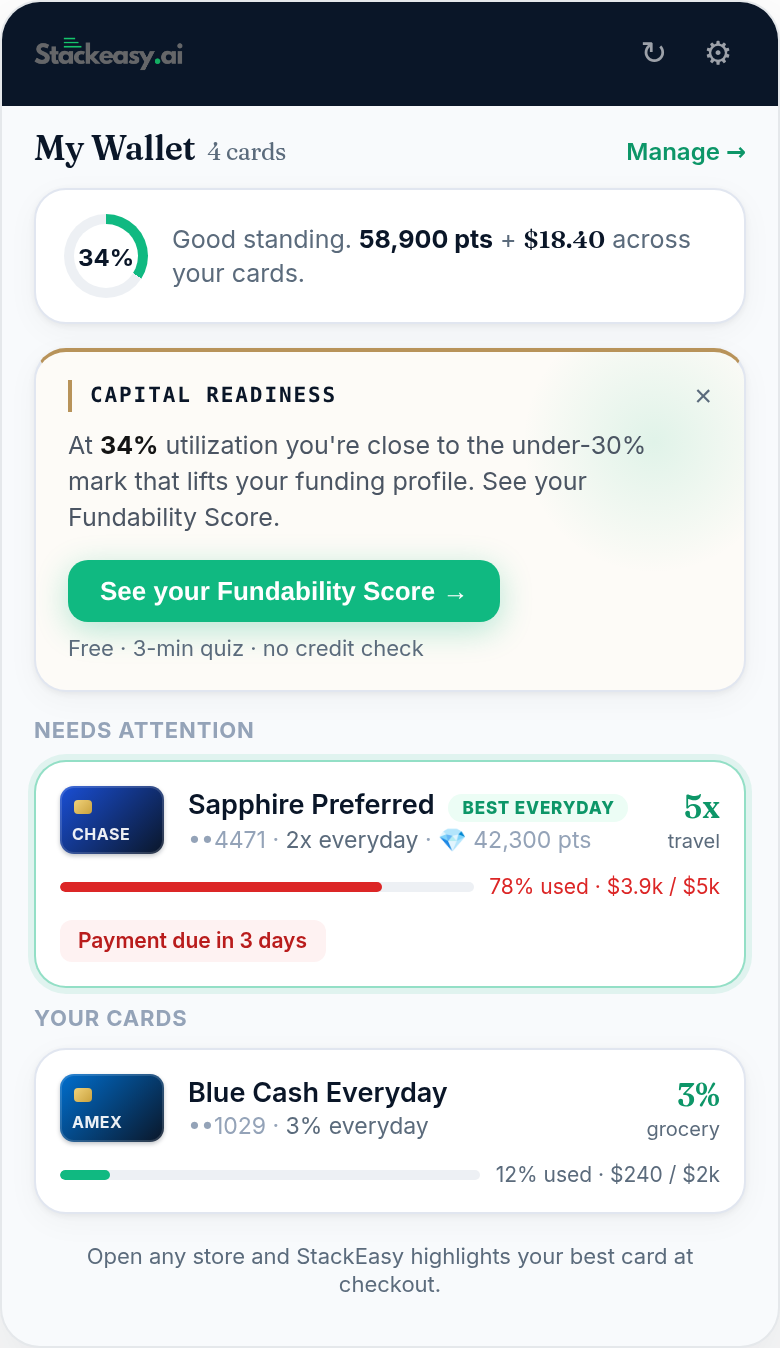
Connect your StackEasy account and the extension flags the trades a rewards rate can't see: a 0% APR window about to end, a card already near its limit, a payment due date you should not push spend onto.

With StackEasy account

StackEasy vs Kudos vs MaxRewards

All three help you get more from your credit cards — they just focus on different things. Here is the factual breakdown.

StackEasy Kudos MaxRewards
Core focus Best-card recommendation at checkout from your own wallet Checkout card recommendations and card autofill Card offer activation and account aggregation
Works without an account Yes — wallet stored locally in Chrome, no signup Account required Account required
Card catalog 4,210 U.S. credit cards, searchable in the wallet picker
Checkout detection On-device — page contents never transmitted See their privacy policy See their privacy policy
Affiliate link injection Never — no link rewriting or tracking-code swaps See their policies See their policies
Scale / availability Coming soon to the Chrome Web Store 400K+ users per their public materials iOS and Android apps per their site

Kudos and MaxRewards details are drawn from their public websites and materials as of June 2026. — means the item is not a published focus of that product. Both are solid tools; the comparison is about fit, not quality.

See it in action

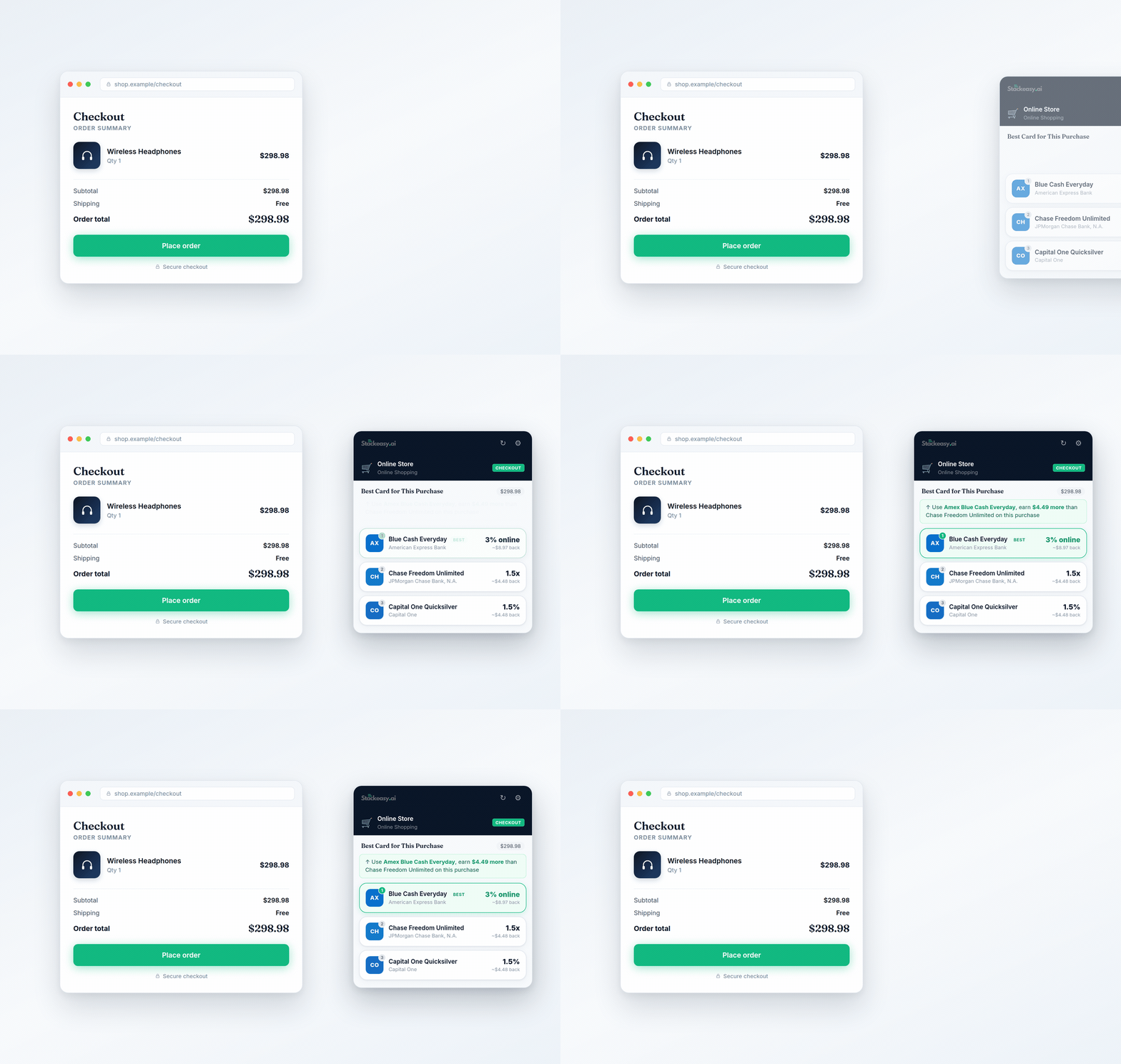
The side panel opens when it matters and stays out of the way the rest of the time.

StackEasy card recommendations on Amazon StackEasy ranking dining cards on DoorDash checkout StackEasy ranking travel cards on Expedia

The privacy promise

  • All detection happens on your device. The content script reads the page locally to spot checkouts and totals. Page contents are never transmitted anywhere.
  • No affiliate-link injection. No link hijacking. Ever. StackEasy never rewrites links, swaps tracking codes, or claims commissions on your purchases — the practice that made Honey-style extensions infamous.
  • No browsing-history collection. We do not log, store, or transmit the sites you visit.
  • Your data is never sold. Wallet selections live in Chrome storage on your device. Account connections are read-only and revocable at any time.

Read the full extension privacy policy.

Frequently asked questions

Is the StackEasy extension free?

Yes. The extension is free and works without an account — build a wallet of your cards and get rewards-based rankings at checkout. Connecting a StackEasy account adds balance-aware recommendations, APR deadline alerts, and utilization warnings.

Does the StackEasy extension work without an account?

Yes. You can build a wallet by picking your cards from StackEasy's 4,210-card catalog and get best-card rankings at checkout with no account, no login, and no email. Your wallet is stored by Chrome on your device. Connecting a StackEasy account is optional and adds balance-aware recommendations, APR deadline alerts, and utilization warnings.

Does StackEasy inject affiliate links or rewrite my checkout?

No. StackEasy never injects affiliate links, never replaces tracking codes, and never modifies the pages you shop on. It only reads the page locally to detect checkout and recommend a card. This is the opposite of how Honey-style extensions operate.

Is the StackEasy extension safe, and does it sell my data?

It is designed to be safe by architecture, and no — your data is never sold. Checkout detection runs entirely on your device, page contents are never transmitted, no browsing history is collected, and the extension never reads or autofills payment forms. Wallet selections stay in Chrome storage on your device; an optional StackEasy account connection is read-only and revocable at any time.

Does the extension see my payment details?

No. The extension never reads, touches, or autofills payment forms. It detects that you are on a checkout page and reads the order total so it can rank your cards — all of that analysis happens locally in your browser and is never transmitted anywhere.

What is the best credit card recommendation Chrome extension?

It depends on what you want the extension to do. Kudos focuses on checkout card recommendations and autofill, MaxRewards focuses on activating card offers and aggregating your accounts, and StackEasy focuses on recommending the right card at checkout from your own wallet — with no account required, a 4,210-card catalog, on-device detection, and no affiliate link injection ever. If privacy and trust are your deciding factors, that combination is StackEasy's case.

What are good Kudos alternatives?

Popular Kudos alternatives include StackEasy, MaxRewards, and CardPointers. StackEasy differs by working fully without an account (your wallet is stored locally in Chrome), covering 4,210 U.S. credit cards, and never injecting affiliate links into your shopping. MaxRewards centers on offer activation and account aggregation, and CardPointers is another card-rewards companion.

How is StackEasy different from Kudos or MaxRewards?

Kudos tells you which card earns the most. StackEasy tells you which card you should actually use — based on your real balances, APR deadlines, and how each choice affects your score. Earning 3% on a card that is about to exit a 0% APR window, or one sitting at 80% utilization, is a losing trade. StackEasy factors that in.

How is StackEasy different from Honey or Capital One Shopping?

Honey and Capital One Shopping are coupon and deal-finding extensions that earn affiliate commissions on purchases. StackEasy solves a different problem — which credit card to pay with — and earns nothing from your purchases: it never injects affiliate links, never swaps tracking codes, and never modifies the pages you shop on. Checkout detection happens on-device and page contents are never transmitted.

What data does the extension collect?

Page detection happens entirely on-device — page contents are never transmitted. Your card selections are stored in Chrome storage on your device. If you optionally connect a StackEasy account, the extension makes read-only requests to api.stackeasy.ai for your card data. No browsing history is collected and no data is ever sold. See the full privacy policy.

Which stores does checkout detection work on?

The extension recognizes nearly 500 merchant sites by category — Amazon, Walmart, Target, DoorDash, Instacart, Expedia, Delta, Marriott, and more — across dining, groceries, travel, gas, streaming, and online shopping. On any other site it falls back to your cards' base earn rates.

When will the StackEasy extension be on the Chrome Web Store?

The extension is built and going through Chrome Web Store submission — the listing is coming soon. There is no public install link yet, so any listing claiming to be the StackEasy extension today is not ours. In the meantime, the StackEasy web app already tracks your cards, APR deadlines, and utilization.

Stop guessing at checkout

The extension lands on the Chrome Web Store soon. In the meantime, StackEasy already tracks your cards, APR deadlines, and utilization — so you are ready on day one.

🚀 Coming soon to the Chrome Web Store Try StackEasy Free