Talk to your cards
in Claude and ChatGPT.
Connect StackEasy once and ask real questions about your own wallet, balances, and rewards, anywhere AI lives.
New to StackEasy? Start your 14-day trial and add your cards first.
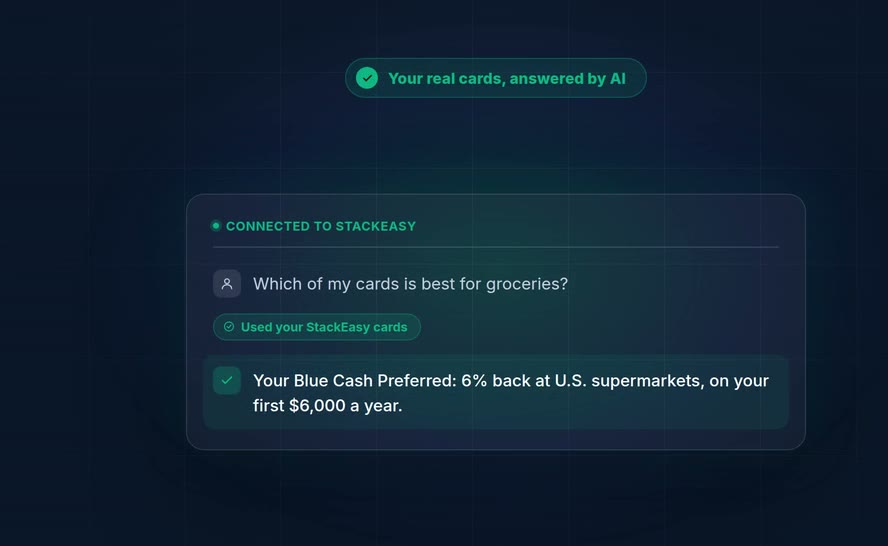
A real answer from a real StackEasy account, right inside Claude.
Real questions people ask.
Catalog questions need no account. Sign in and your AI can also see your own wallet, full access for 14 days with no card required, then $25 a month.
"Which of my cards has no foreign transaction fee?"
"What's the best card for a $3,000 furniture purchase?"
"Which rewards did I miss on my Amex last month?"
Watch it connect.
Real setup, start to finish. Add the connector, sign in, then ask a real question about your cards.
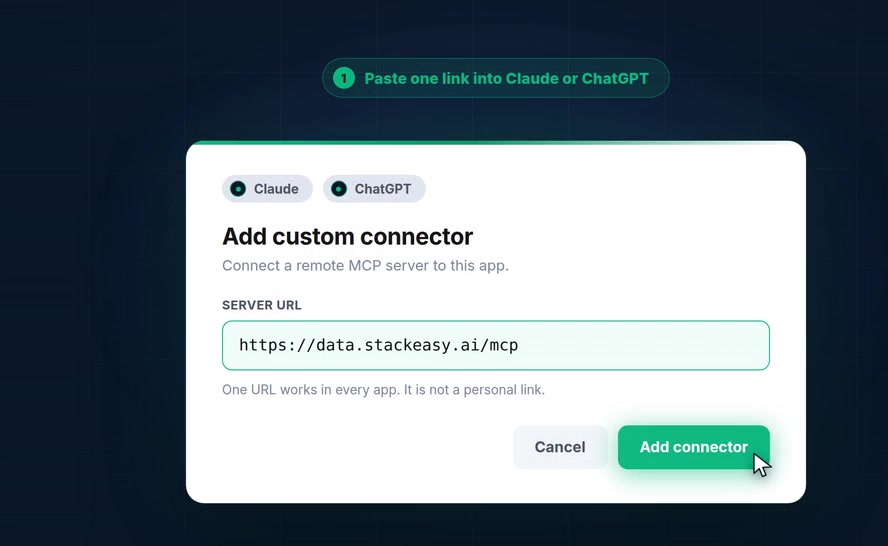
Connecting StackEasy to Claude, then asking it a real question about a real card.
Three steps, then just ask
No new app. Your existing AI just gets smarter about your wallet.
Add the connector
One URL works in every app. It is not a personal link.
Sign in
Connect, then sign in with your StackEasy account. It opens right inside your AI app, not a separate tab. Takes about two minutes. Every account starts with 14 days of full access, no card required.
Ask anything
Ask what card is best for groceries, which rewards you missed, or when your 0% APR ends. Real answers from your real cards.
Set up in the app you use.
Same connector, four destinations. See what each plan gets you
Claude
- Settings, then Connectors (under Customize)
- Add custom connector, then paste https://data.stackeasy.ai/mcp
- Connect, then sign in with your StackEasy account
No client ID or secret needed. Sign-in stays inside Claude, not a separate tab.
Claude Code
- Run the command above in your terminal
- Follow the OAuth prompt to sign in
Same OAuth flow as the browser. Disconnect anytime; access is read only.
ChatGPT
- Available where your plan supports custom connectors or developer mode
- Settings, then Connectors, then Add custom connector, then paste https://data.stackeasy.ai/mcp
- Connect, then sign in with your StackEasy account
Sign-in stays inside ChatGPT, not a separate tab.
Meta Muse
- In Muse chat, say "Connect StackEasy," or ask for a custom connector with this URL: https://data.stackeasy.ai/mcp
- Click the Connect widget, then approve the Muse consent modal
- Sign in on the page that opens, in the same browser where you are already signed into muse.ai
A different browser or an in-app browser will not work. Read only, revoke anytime from Muse's connector settings.
Any other MCP compatible app works the same way. Add https://data.stackeasy.ai/mcp as a custom connector and sign in.
Starter prompts for Muse.
Muse works as a custom connector today, with your trial or Premium account, and catalog lookups need no account at all.
Muse is available to US adults only.
"Which card has no annual fee for travel purchases?"
"What's my best card for groceries?"
"What are my balances and utilization right now?"
"Show me payments due this week across my cards."
"What missed rewards do I have from last month?"
"Which of my cards has a 0 percent promo expiring soon?"
Your plan level is your access level.
Every account starts with a 14-day Premium trial, no card required. After that, Premium is $25 a month, and your plan in the app is your plan in your AI.
14-Day Trial
- Everything in Premium
- No card required
- Cancel anytime
Premium
- Your card list and best card for any category
- Card balances and utilization alerts
- Missed rewards report
- Signup-bonus progress
- Perks and statement credits per card
- StackEasy Score
- Lookups across 4,211 cards, no account needed
Subscribing in the app upgrades your AI the same minute.
Balances and utilization sync from your existing StackEasy account, so Premium reflects whatever you already track there. The AI connection itself never touches your bank.
See how your data is protectedBuilt around one rule: we never see your bank login.
Every connection is read only, scoped to your StackEasy account, and yours to revoke.
Never your bank login
Connecting links your StackEasy account. Bank credentials never touch us.
Read only, always
Your AI can look. It can never move money or change anything.
Yours to revoke
Disconnect anytime from your AI app's connector settings. No data is sold, ever.
Frequently asked questions
Your cards.
Your AI.
Two minutes, read only, revocable anytime.
Connect Your Cards